Chapter 7 · Nancy, the data assistant
Nancy, the data assistant: ask export data questions and find buyers
Ask about markets, prices and buyers using the last 18 months of customs data; reveal potential buyer names with an allowance of 300 buyer names per month.
Updated: 09/09/2026
Screenshots show the Vietnamese interface; the English interface has exactly the same layout — switch with the VI / EN toggle at the top right.
This feature is part of the Platform package.
Nancy is an assistant that analyses Vietnam’s export customs data for the last 18 months. Ask in plain language — "which country imports the most black pepper", "recent Robusta coffee prices", "which buyers in India import cashew" — and Nancy answers with real figures, tables and suggested follow-up questions. On the Platform plan questions are unlimited; only revealing buyer names has an allowance of 300 buyer names per month.
Ask a question
Bước 1: Open Nancy — Data Assistant in the left column and click New question (1). Type the question in the box (2) and press Enter. The product chip (3) tells Nancy which product you are asking about — change it when needed. Not sure what to ask? Click a suggestion (4). Top right is the buyer name allowance used this month (5).
- The left column keeps the conversation history by day; click one to reread it or continue in the same context.
- Specific questions get better answers: name the product, the market and the period (for example "last 6 months").
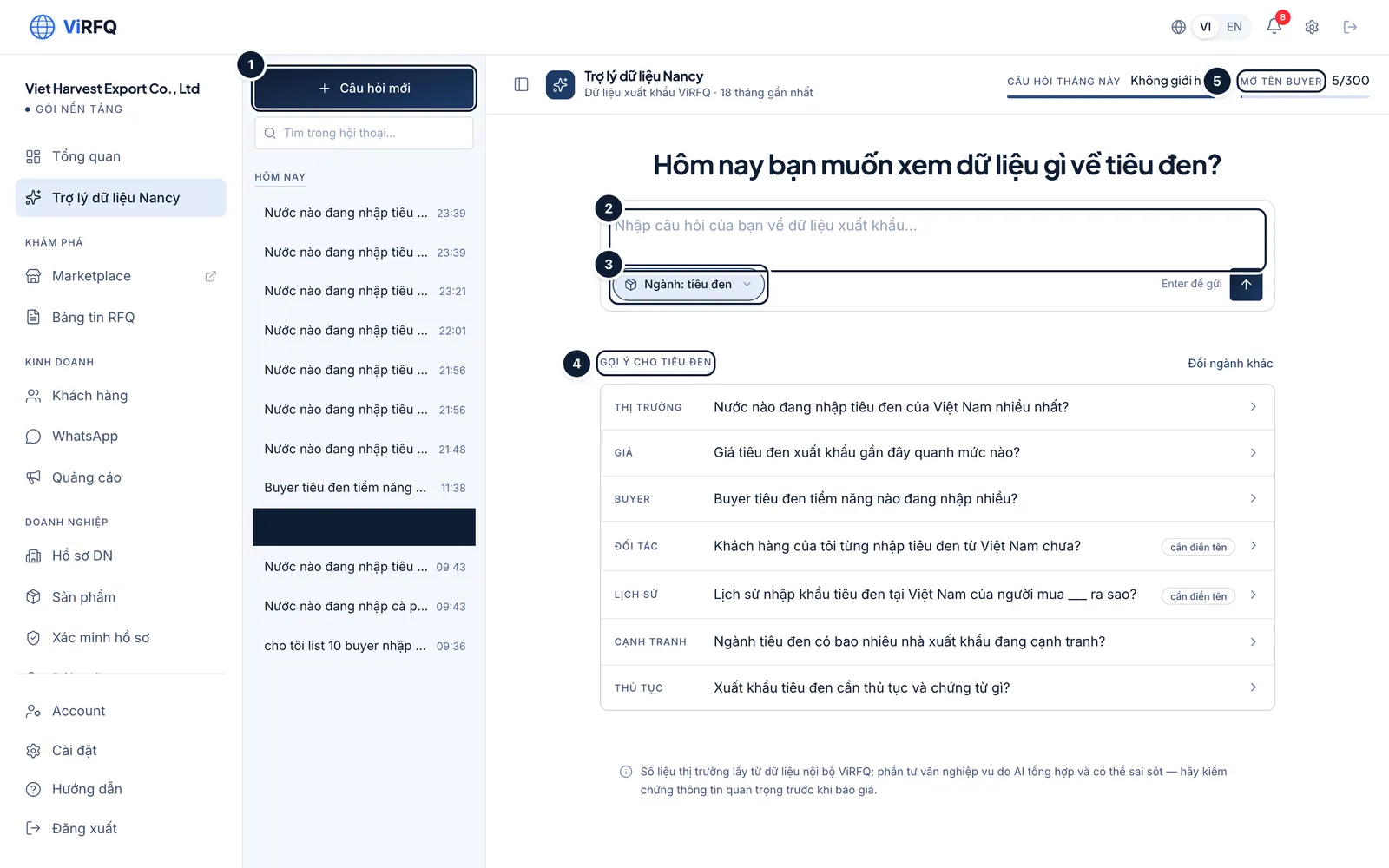
Nancy: (1) new question, (2) question box, (3) product, (4) suggestions, (5) buyer-name allowance. Bước 2: Nancy answers within seconds. The Applied line (1) repeats the filters it understood (product, market, period) and the number of shipments found. The results table (2) is sorted by value. At the end of the answer there is a Copy button for pasting into a report, plus the follow-up questions Nancy suggests.
- If Nancy misunderstood (for example the wrong market), ask again right below — Nancy keeps the context of the conversation.
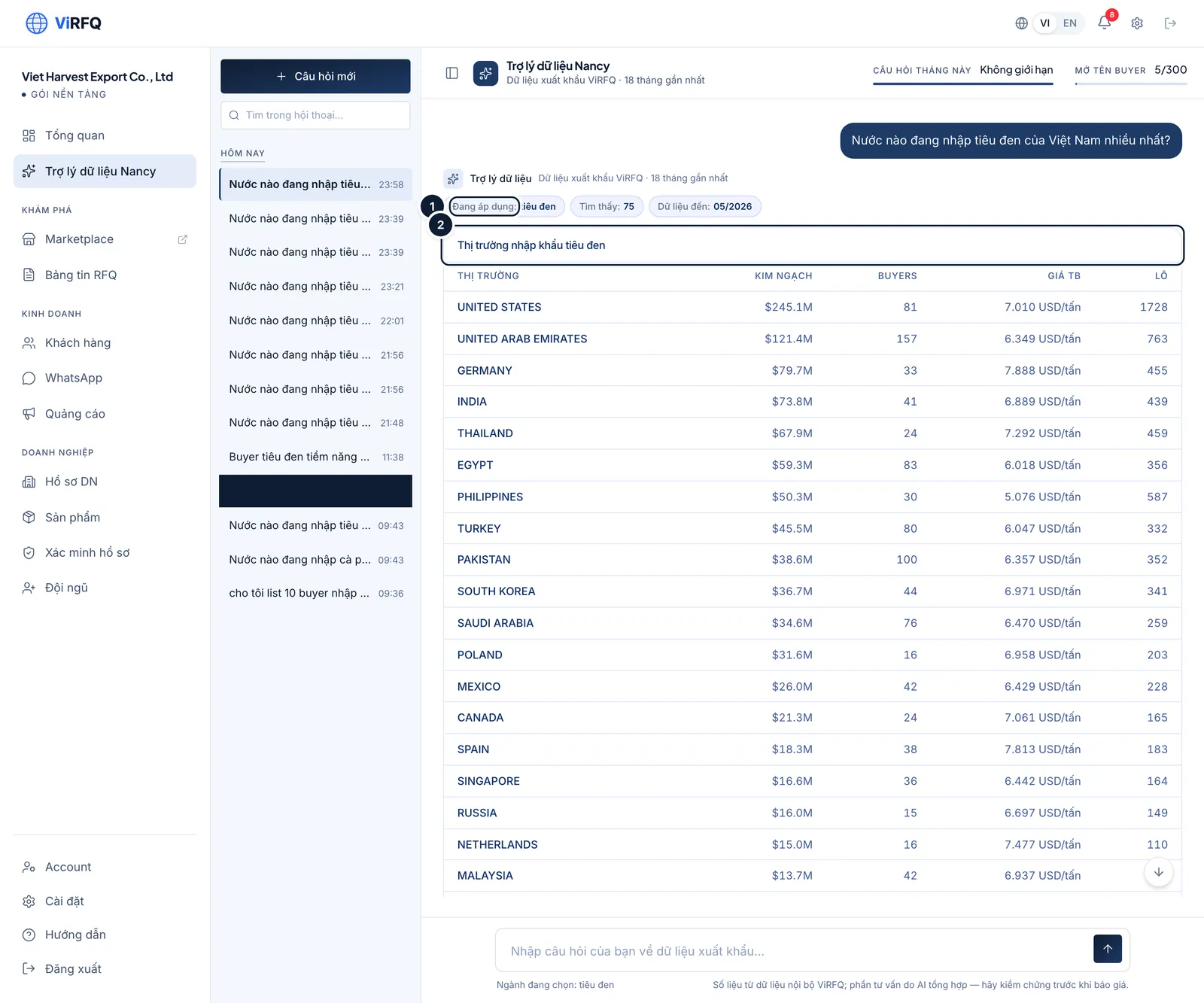
An answer: (1) the filters understood, (2) the data table. Bước 3: On a phone the history hides behind the menu button; the question box stays fixed at the bottom.
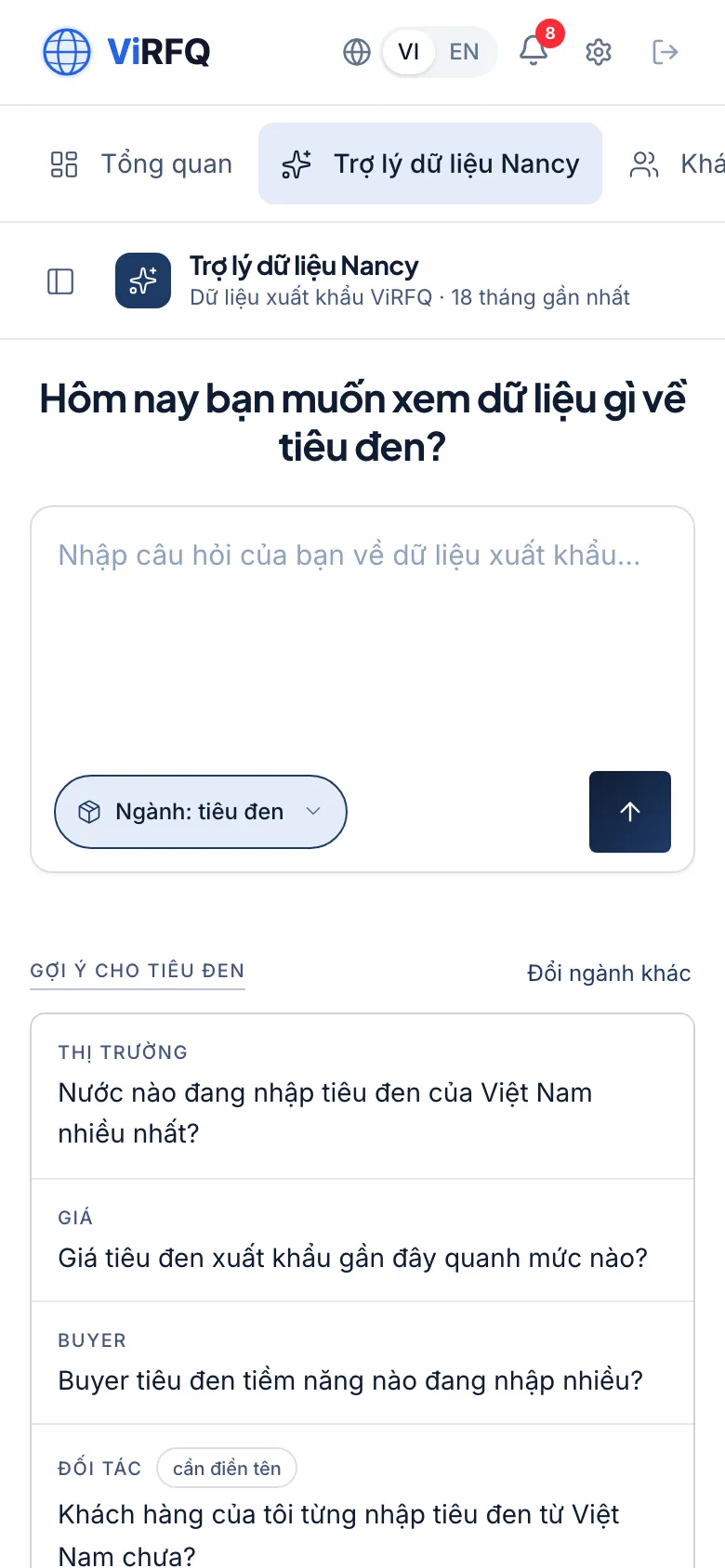
Nancy, the data assistant, on a phone
Find and reveal buyer names
Ask "which buyers import a lot of [product]" or click a Buyer suggestion: Nancy lists importing companies with value, shipment count and average price — but the company name is hidden. Click the padlock icon next to a row to reveal the name: it uses 1 of the month’s 300 names. A name revealed earlier this month can be reopened at no cost. From the company name you look up the contact yourself, or ask Nancy "check the customer [name] for me" to see their import history from Vietnam.
Frequently asked questions
- Nancy says "not enough data".
- That product or market has too few shipments in the last 18 months. Ask more broadly (a product group instead of a specification, a region instead of one country) or change the period.
- What happens when the 300 buyer names are used up?
- You can still ask Nancy without limit and see the figures. The buyer-name allowance renews on the 1st of the next calendar month (UTC) — unlike RFQ unlocks, which follow the plan month.
- Can sales staff use Nancy?
- Yes. The buyer-name allowance is shared by the whole company, and the conversation history is shared too so the whole team can see it.