Chapter 5 · RFQ Board and contact unlocks
RFQ Board: finding quote requests and unlocking buyer details
Filter quote requests by category, country and delivery terms; read the verification score and unlock buyer contact details with your plan allowance.
Updated: 09/09/2026
Screenshots show the Vietnamese interface; the English interface has exactly the same layout — switch with the VI / EN toggle at the top right.
This feature is part of the Platform package.
An RFQ (request for quotation) is an invitation to quote from an international buyer: what they need, how much, under which delivery terms and to which country. Every RFQ on ViRFQ is moderated by the team and given a verification score. The Platform plan includes 100 contact unlocks per month and shows new RFQs 4 hours earlier than free users.
Browse and filter quote requests
Bước 1: In the dashboard click RFQ Board in the left column. Type a product into the search box (1) or use the filters next to it.
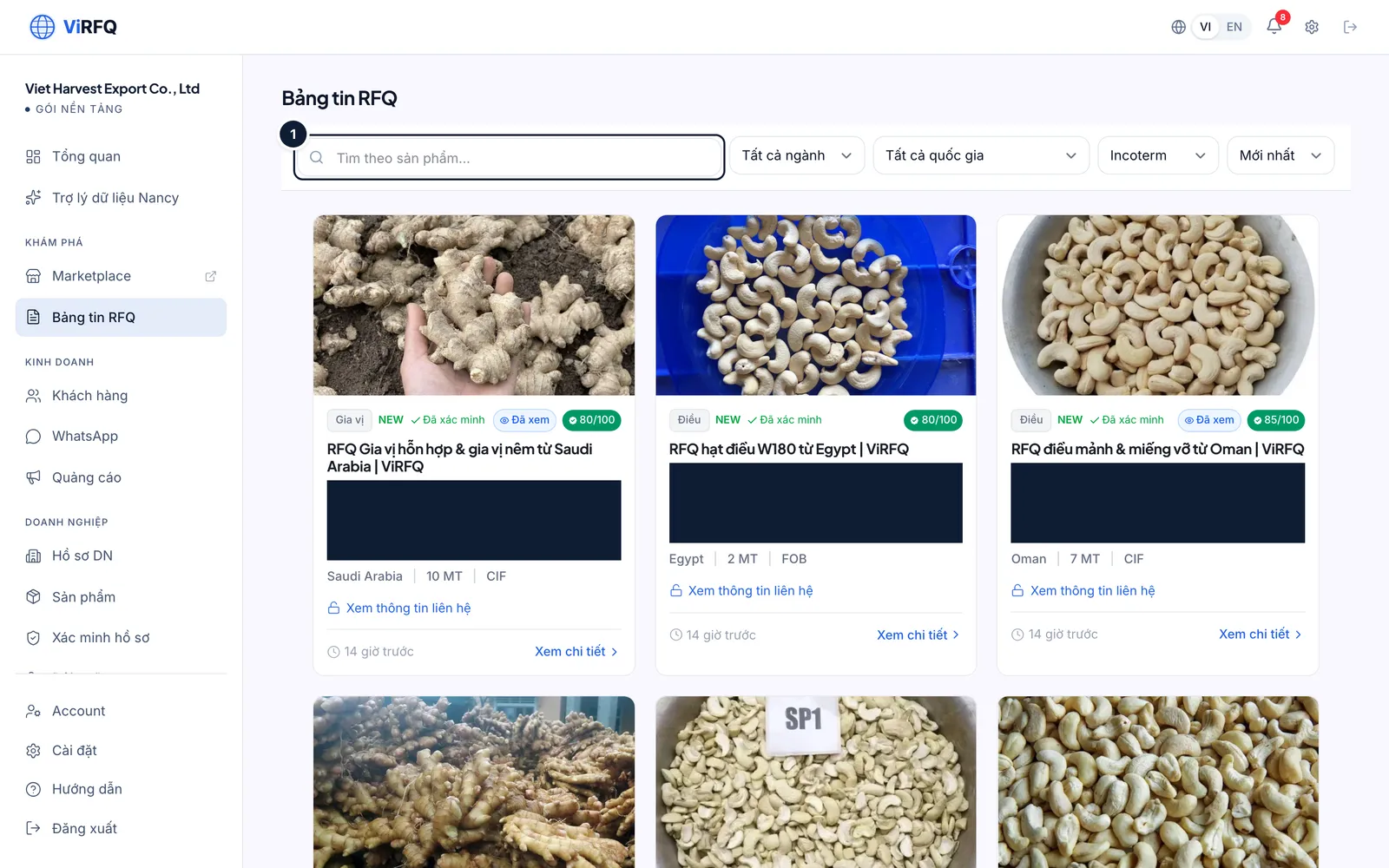
RFQ Board: search box (1) and filters. Bước 2: The Category (1), Country (2), Incoterm (3) and Sort (4) filters narrow the list. The NEW label (5) marks RFQs posted in the last 24 hours; the Viewed label saves you re-reading. The View contact info line (6) on a card means you have not unlocked that RFQ yet.
- The 80/100 or 85/100 on a card is the verification score — a total of several signals: the buyer replied to ViRFQ on WhatsApp/email, the company was confirmed, the request has specifications, quantity, destination port and delivery time. RFQs below 80 are reviewed by the ViRFQ team by hand before they reach the board.
- A high score does not mean every field is present: open the RFQ to see the score breakdown and read the description carefully before unlocking.
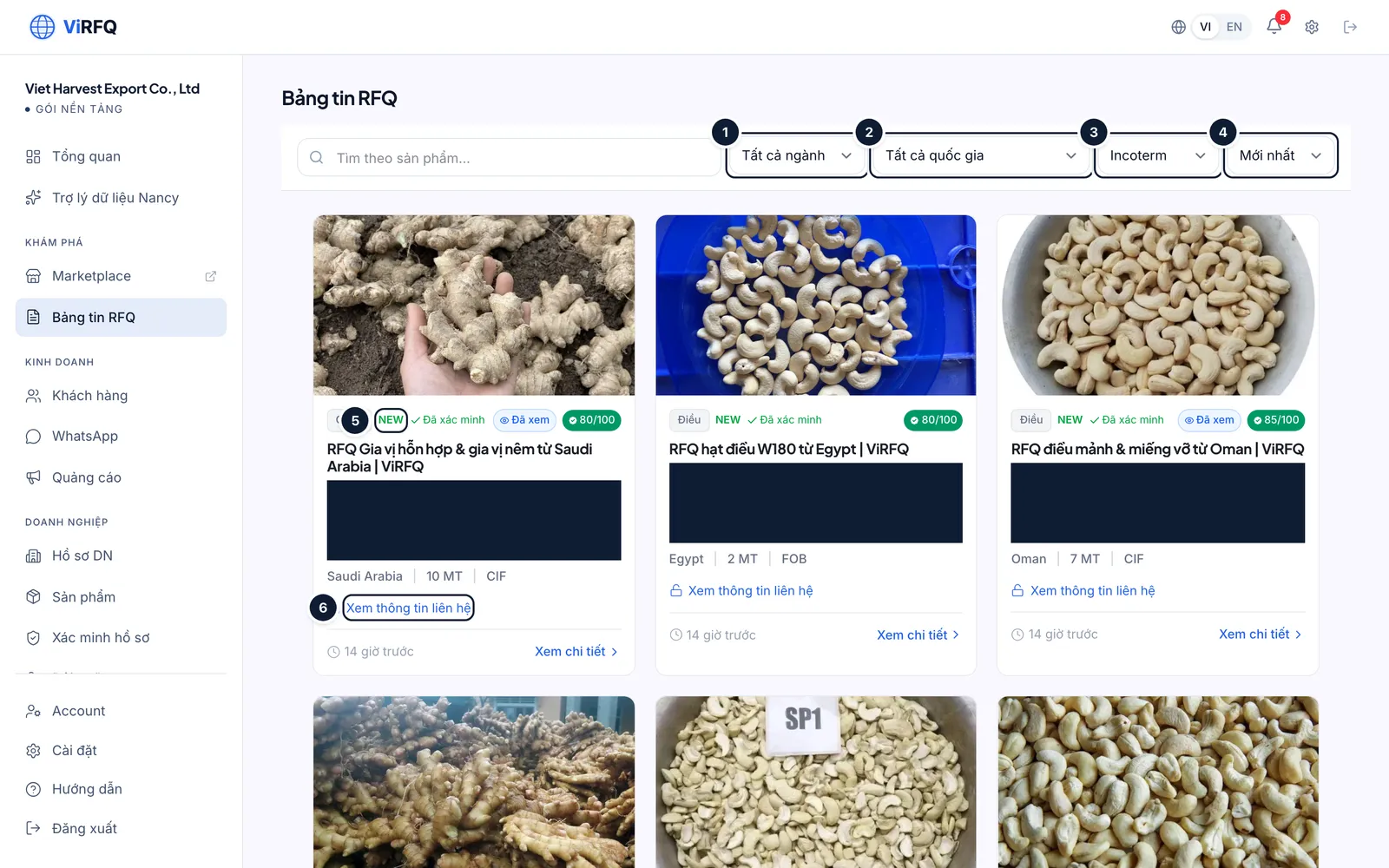
Filters: (1) category, (2) country, (3) Incoterm, (4) sort; (5) NEW label; (6) not unlocked yet. Bước 3: On a phone the filters line up under the search box; scroll to read each RFQ.
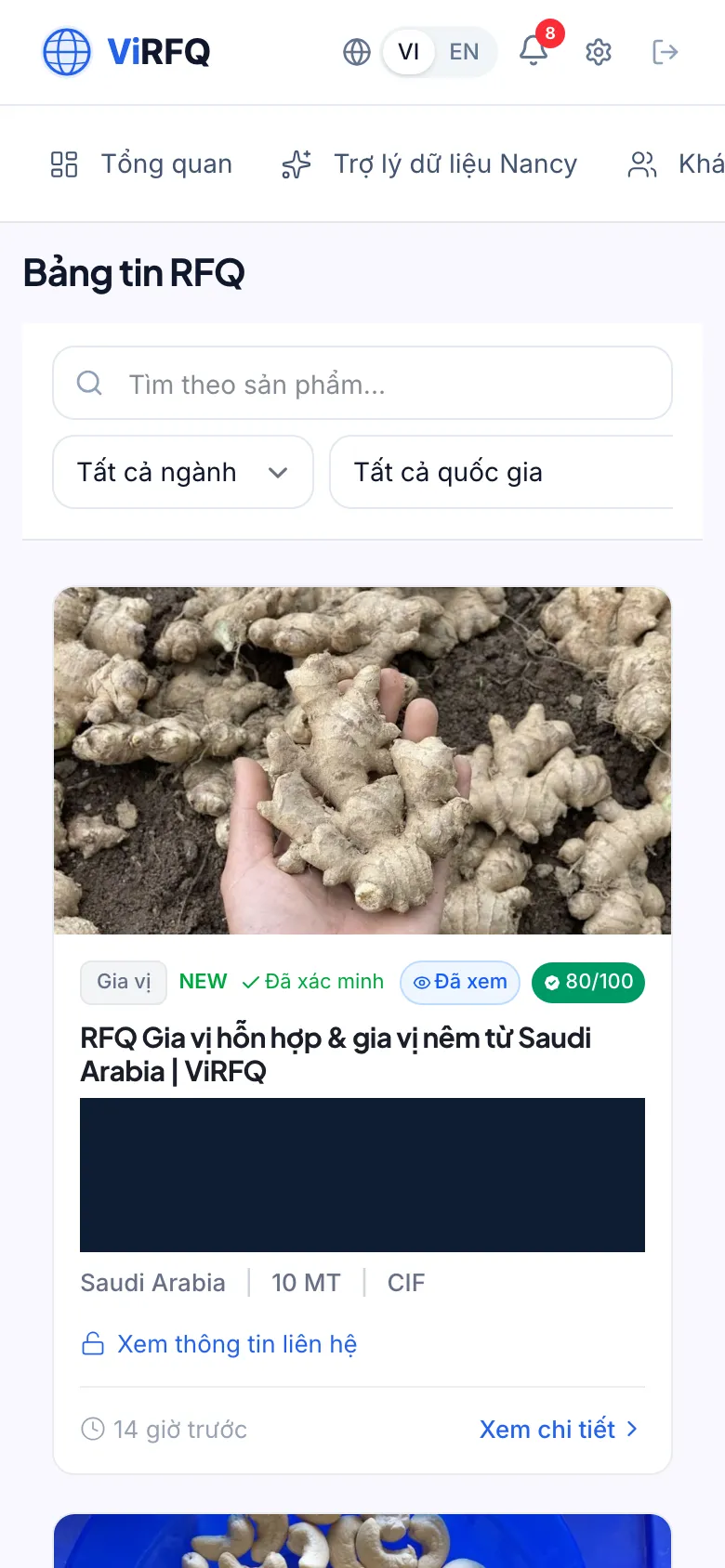
The RFQ Board on a phone with the search box and filters stacked
Read the details and unlock the contact
Bước 1: Click View details on a card. The detail page has the full description (1): specifications, quantity, destination port, purpose. The right column is Contact information (2) — the buyer’s name, company and phone/WhatsApp stay hidden until you click Unlock contact (3). Below it the verification score table (4) explains every point.
- Clicking Unlock contact uses 1 of your 100 unlocks for the month and shows the buyer’s email, phone and WhatsApp at once. An unlocked RFQ can be reopened as often as you like at no extra cost.
- Read the description before unlocking: if the specification or quantity does not fit your capacity, save the unlock for another RFQ.
- After unlocking, the buyer is added automatically to Customers (Data column, source RFQ). Click the WhatsApp number to open WhatsApp on your own device and message right away — that chat happens on your WhatsApp and only appears in the ViRFQ inbox if you write from the very number connected to ViRFQ.
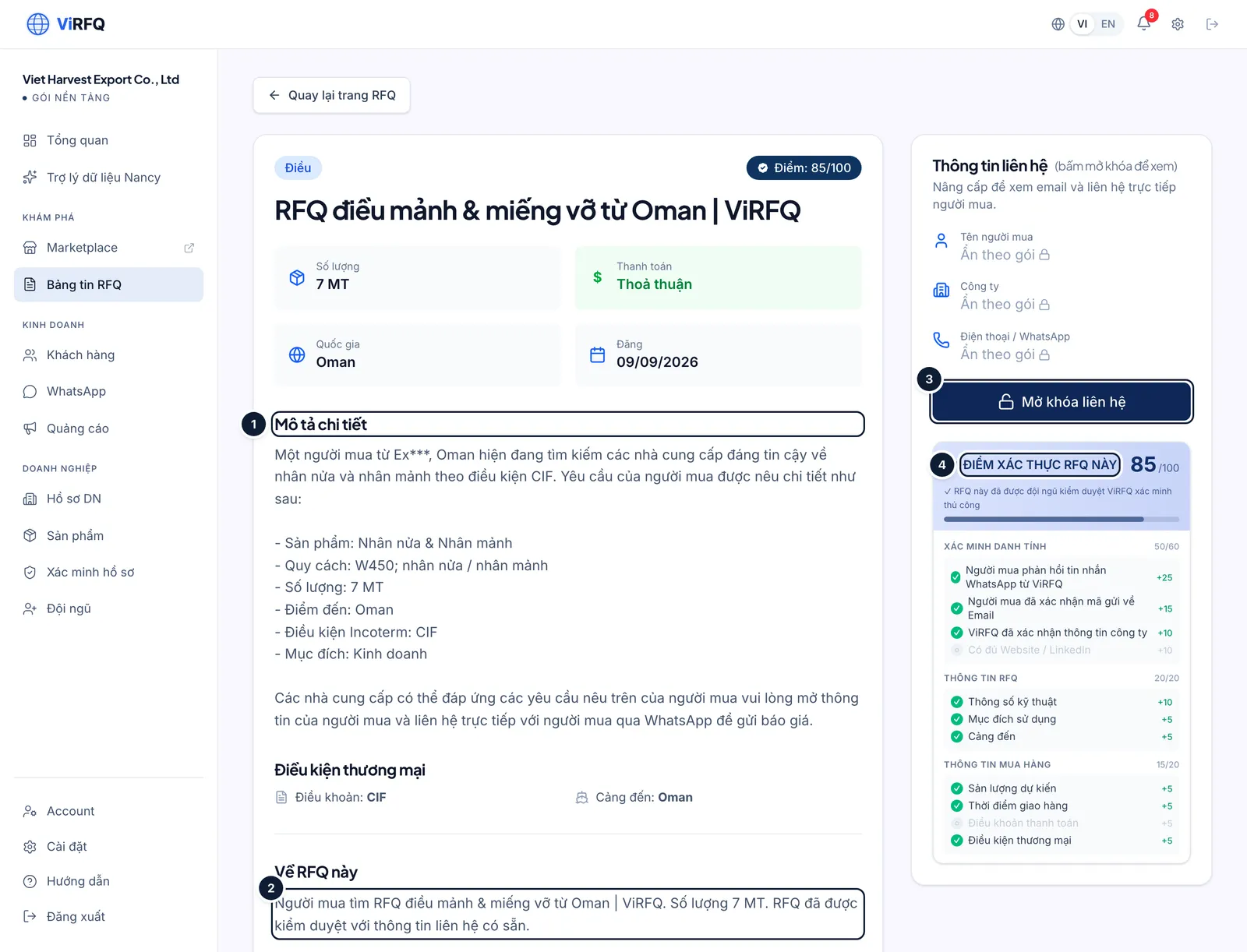
RFQ details: (1) description, (2) hidden contact, (3) unlock, (4) verification score. Bước 2: The unlocks left this month show in the RFQ unlocks tile on the Overview. The allowance renews at the start of every plan month (counted from the activation date); unused unlocks do not roll over.
The public board and new-RFQ alerts
Bước 1: The RFQ Board also has a public version at virfq.com/en/rfq for visitors who are not signed in: the description is visible, but the View contact info line (1) leads to sign-in or to buying the plan. A new RFQ appears on the public board only after 4 hours — during those 4 hours only Platform customers see it.
- You receive an email whenever a new RFQ matches the categories declared in your Business Profile. Declare your categories correctly so you never miss one.
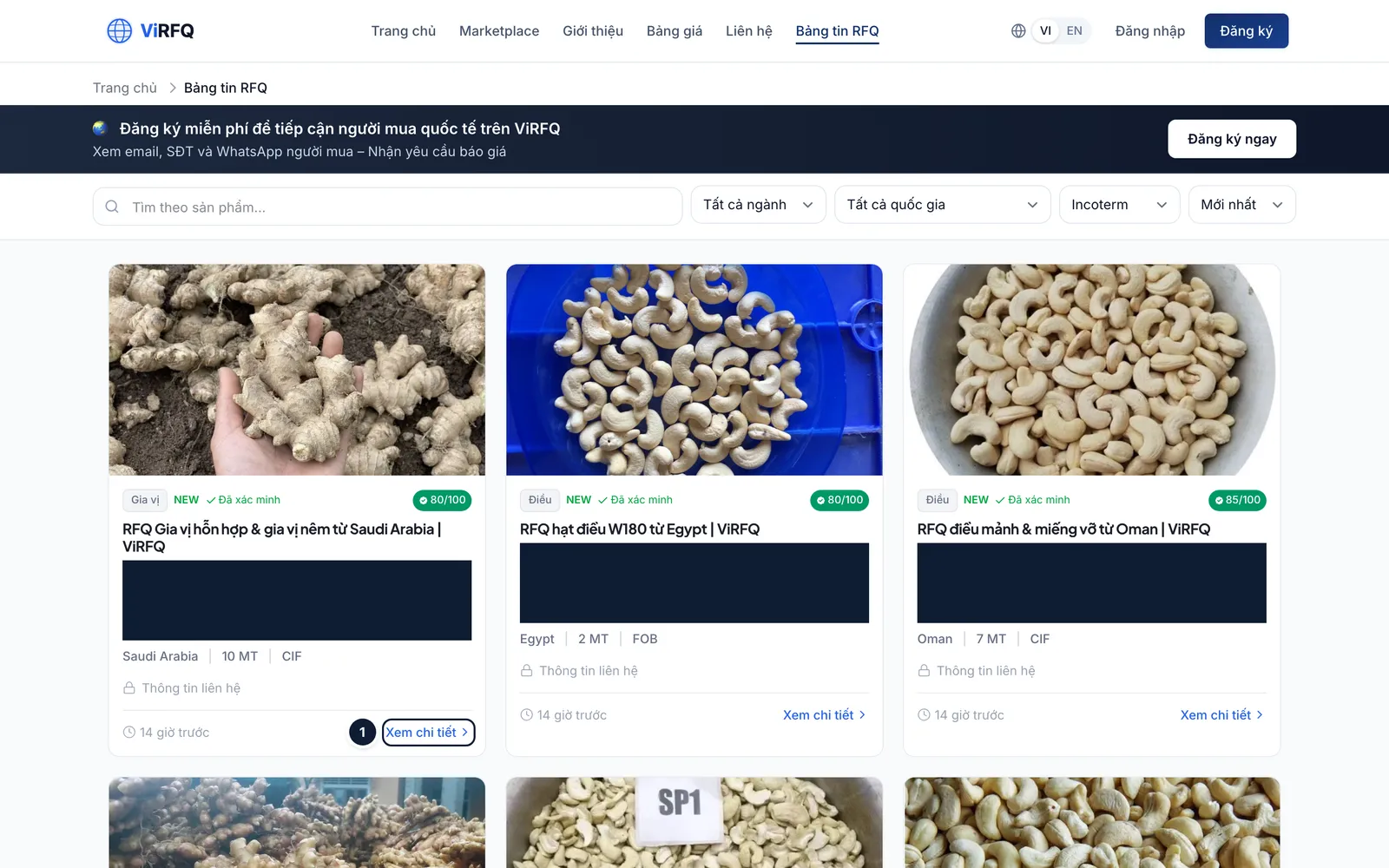
Public board: (1) contact details open only when signed in with a plan.
Frequently asked questions
- I unlocked the contact but the buyer does not reply.
- Send a short message in English with the exact specification from the RFQ, an indicative price and real product photos. If there is still silence after 2–3 days, try an email with your catalogue. Used unlocks are not refunded because ViRFQ has already verified the buyer is real.
- What happens when the 100 unlocks are used up?
- You can still read every RFQ; you just cannot unlock more contacts until the next plan month starts. Need more urgently? Contact ViRFQ support.
- How is a "Verified" RFQ different from a normal one?
- The Verified label means the ViRFQ team checked the buyer by hand (WhatsApp/email reply, company details). An RFQ below 80 points can still be genuine but is missing information — ask before quoting.