Chapter 6 · Marketplace
Marketplace: where buyers find you
How buyers search for products and exporters on the Marketplace, and what to do so your profile shows up well.
Updated: 09/09/2026
Screenshots show the Vietnamese interface; the English interface has exactly the same layout — switch with the VI / EN toggle at the top right.
The Marketplace at virfq.com/en/marketplace is where international buyers look for Vietnamese products and exporters. You do nothing extra to be listed: an approved business profile and approved product pages appear automatically. This article shows the Marketplace through a buyer’s eyes so you know what to improve.
How buyers search
Bước 1: The main page has a search box (1): buyers type a product, a company name or a specification and click Search (2). Results show the best-matching products and exporters. Below are the promoted products (3), exporter profiles and open quote requests.
- Search matches names with and without Vietnamese accents, English product names and company names — so name your products the way buyers would type them.
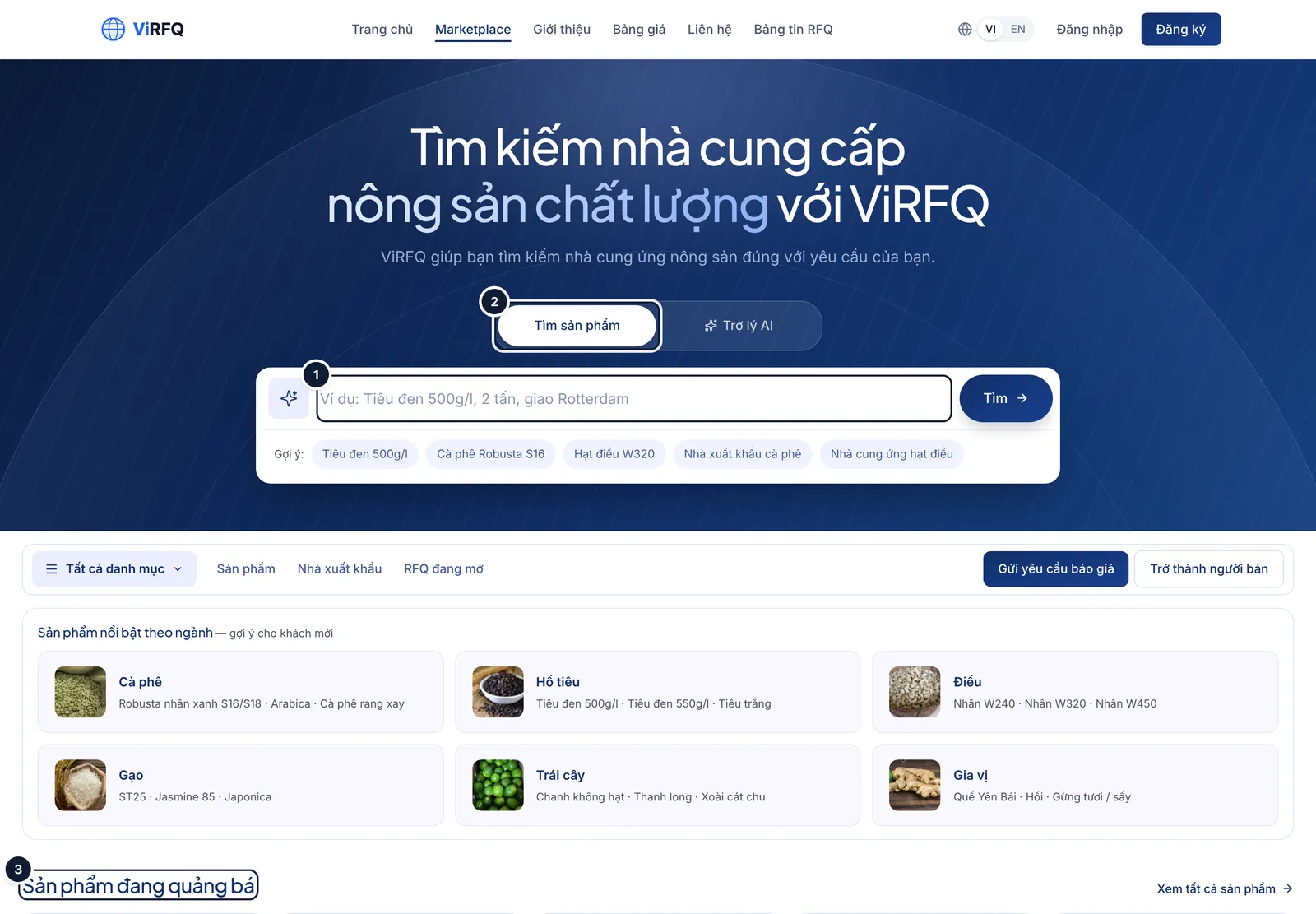
Marketplace: (1) search box, (2) search, (3) promoted products. Bước 2: The Exporters page lists every approved profile. Buyers search by name (1), use Filters (2) by category, province and Incoterms, and open View profile (3). Verified profiles show a "Verified · month…" line right on the card.
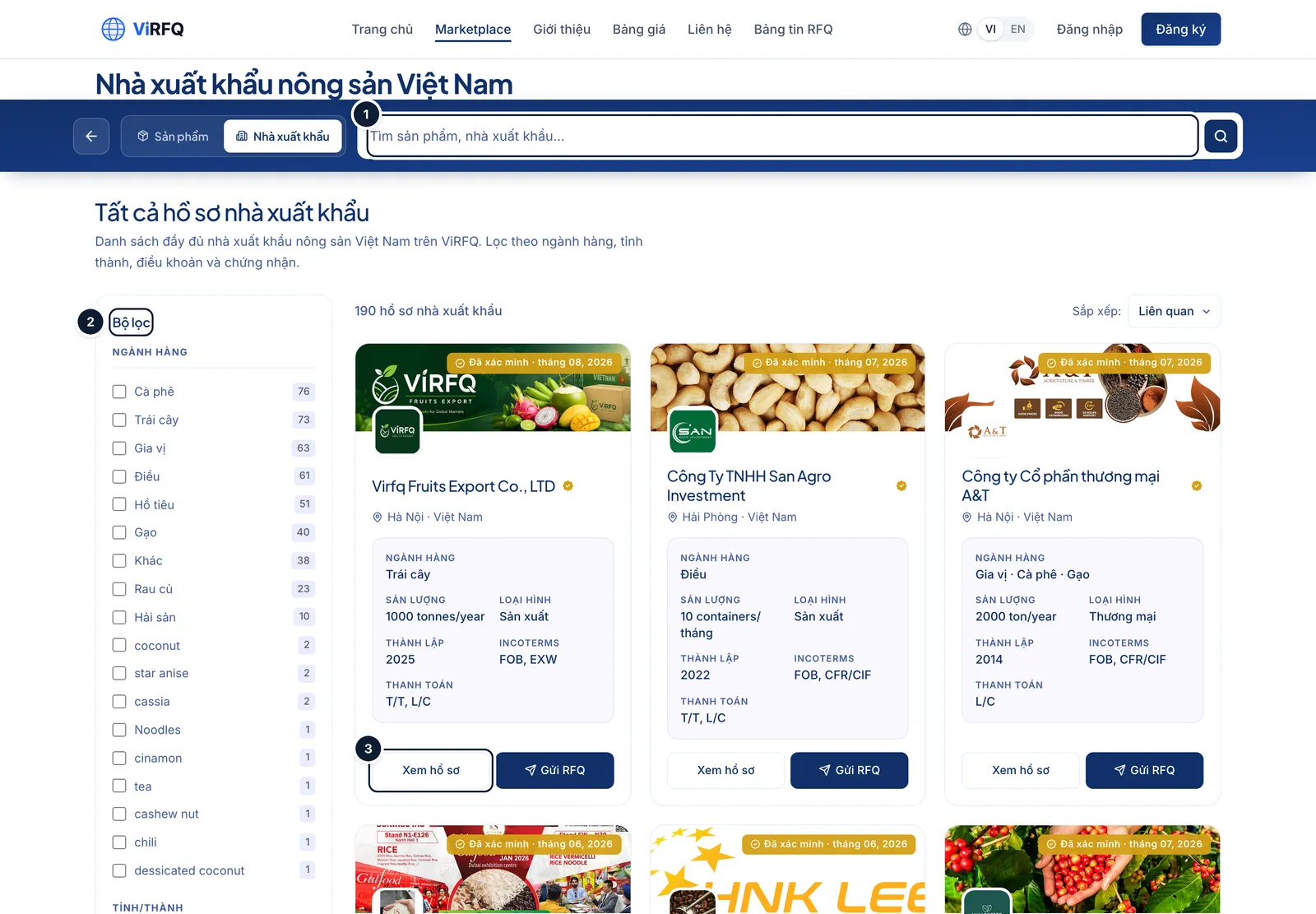
Exporters: (1) search, (2) filters, (3) view profile. Bước 3: The Products page is where buyers compare specifications. Filters (1) cover category, province, Incoterms, certificates and a Verified box — keeping only products from suppliers with the badge. On each card buyers click Send RFQ (2) to ask for a price or WhatsApp to message you right away.
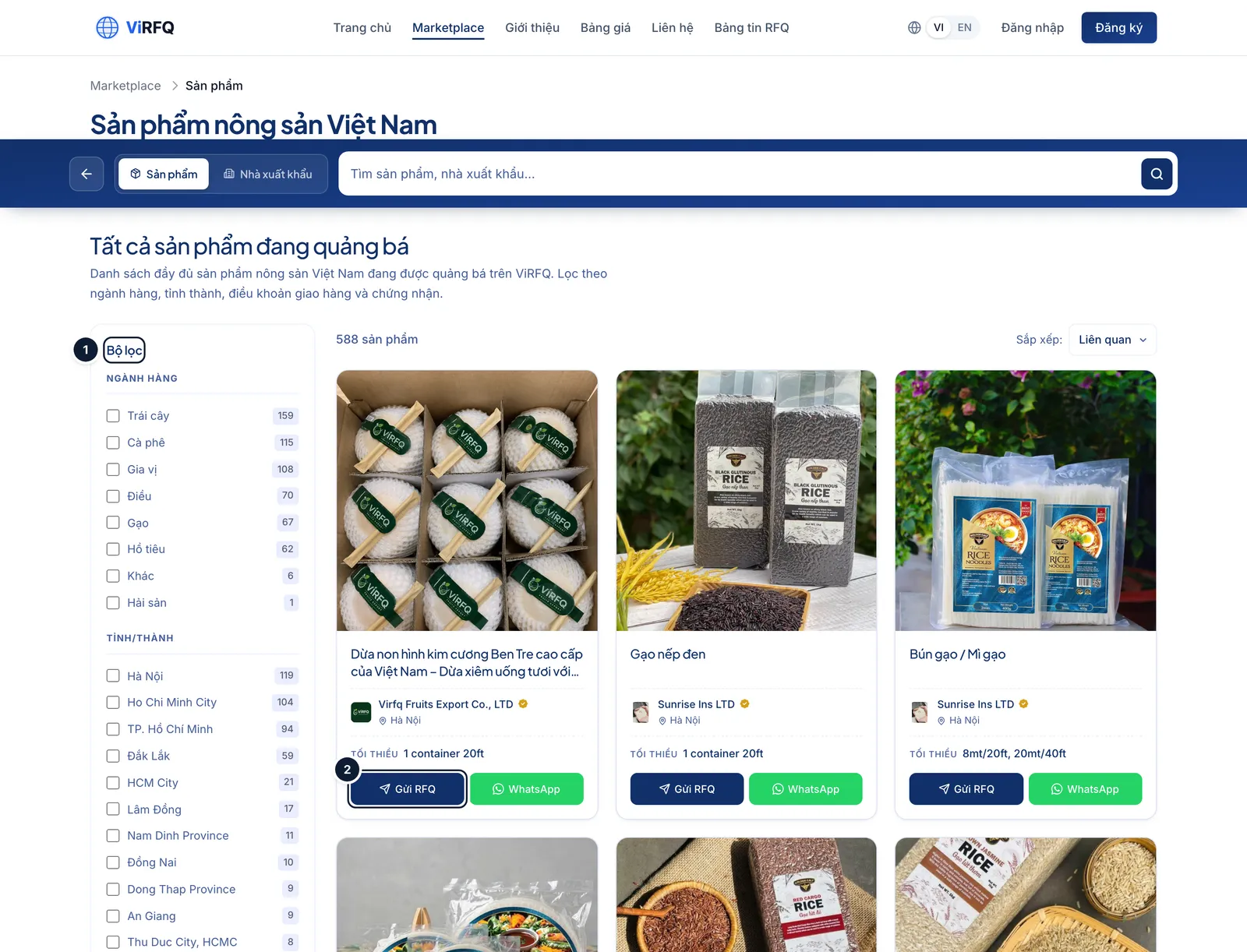
Products: (1) filters (with the Verified box), (2) buyers send an RFQ. Bước 4: On a phone the Marketplace collapses into one column with the search box on top; most international buyers browse on a phone, so product photos must be sharp and names short.
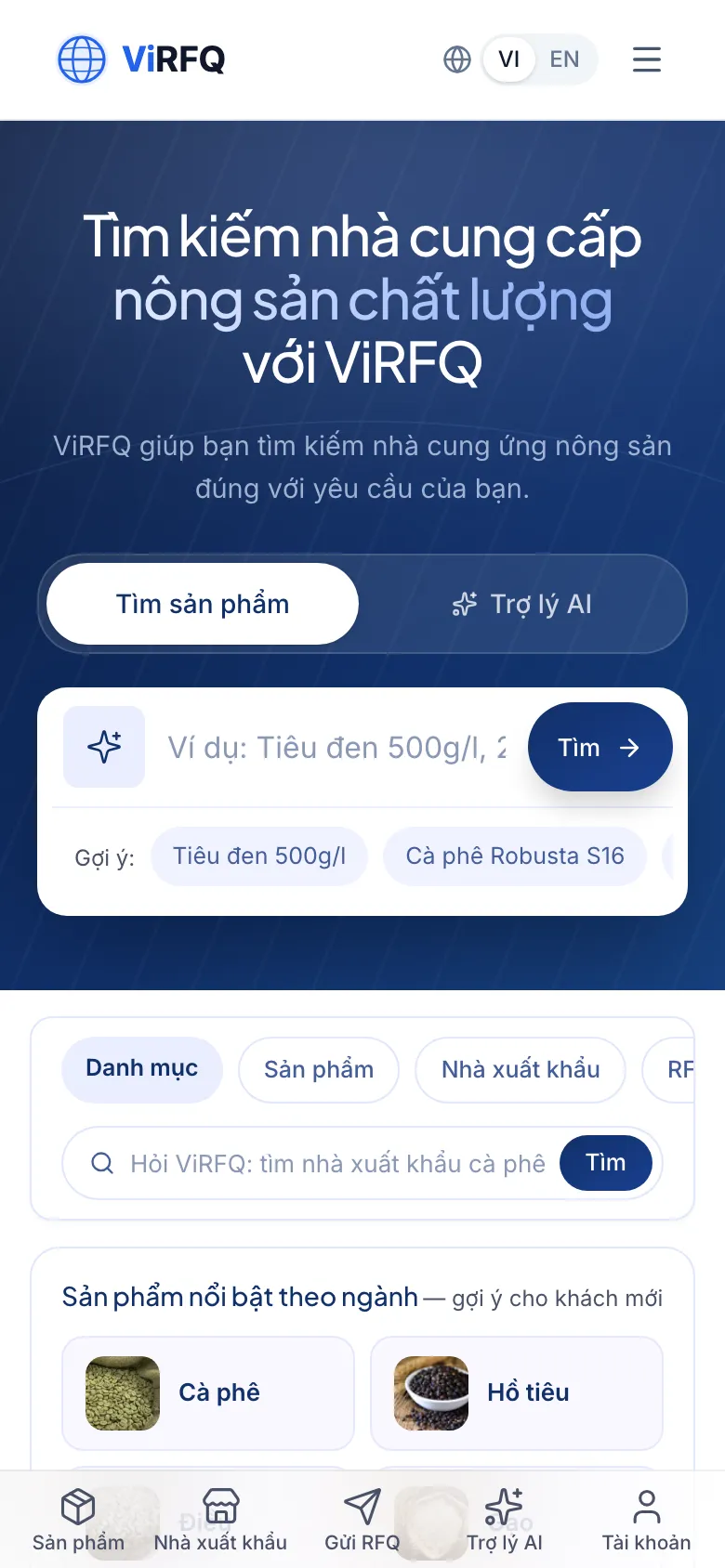
Marketplace on a phone with the search box at the top
Show up better
- Complete the profile to 100% and create at least 3 product pages with 5 photos each — complete profiles rank above empty ones.
- Earn the Verified badge — many buyers switch that filter on first.
- Name products by specification (for example "Cashew W320", "Black pepper 500 g/l") rather than generic names.
- Connect a WhatsApp number — the WhatsApp button on a product card drops the buyer into your Inbox, where the assistant answers even outside working hours.
Frequently asked questions
- A buyer sends an RFQ from my product page — where do I receive it?
- A request sent from your product page does not go to the shared RFQ Board; it lands directly in Customers (Data column, source "Form") and you get an email with the buyer details. The RFQ Board only holds requests buyers submit through the shared ViRFQ request form to every supplier.
- Does it cost anything to be listed on the Marketplace?
- No. Approved profiles and products are listed free. The Platform plan adds the tools for working with buyers (contact unlocks, Nancy, the WhatsApp assistant, ads tracking).