Chapter 12 · For buyers and frequently asked questions
For buyers, frequently asked questions and how to get support
How buyers submit a quote request on ViRFQ, general questions about the platform and the support channels.
Updated: 09/09/2026
Screenshots show the Vietnamese interface; the English interface has exactly the same layout — switch with the VI / EN toggle at the top right.
This chapter is for buyers (importers) who want quotes from Vietnamese exporters, and collects the general questions both sides ask. Exporters can read it to understand which steps a buyer goes through before an RFQ appears on the board.
Buyers submit a quote request
Bước 1: The buyer opens virfq.com/en/submit-rfq — a shared request sent to every matching exporter. Step 1: product name (1), category, quantity (2) and unit, specifications, Incoterm, destination port, payment terms, delivery time. Step 2 (3): full name, company, country, email and WhatsApp number. Click Request a quote (4). No account is needed.
- After submitting, the buyer receives an email with a code to verify the request. ViRFQ also sends a WhatsApp message to confirm. Only verified and scored RFQs appear on the board for exporters.
- The buyer’s contact details are never public — only exporters with a plan who deliberately unlock them can see them.
- This differs from the Send RFQ button on a single product page: that request goes to that exporter only (into their Customers with an email alert), needs no verification code and never appears on the shared board.
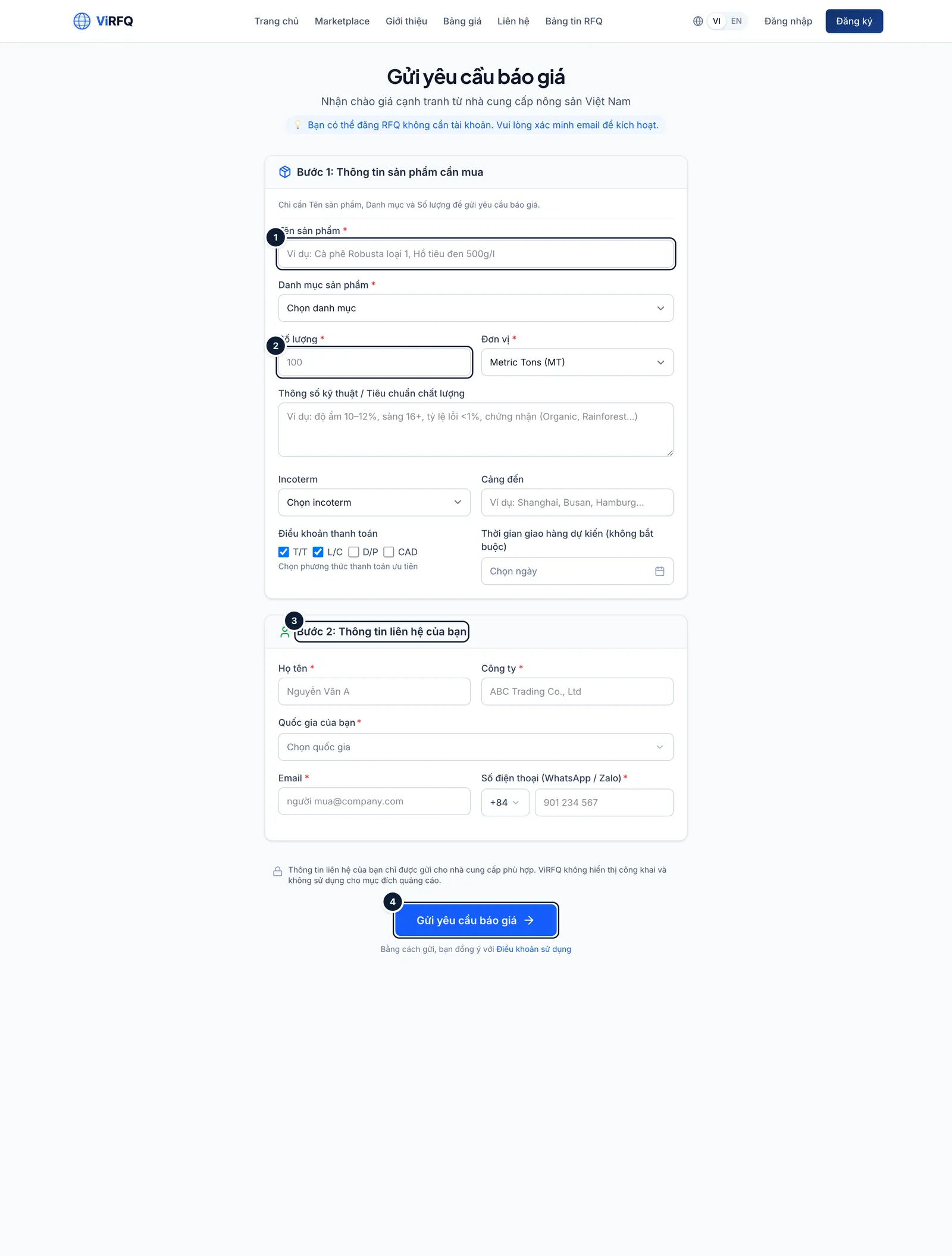
Submit an RFQ: (1) product, (2) quantity, (3) contact, (4) submit. Bước 2: A buyer who creates an account (choose the Buyer role at registration) gets a dashboard listing the submitted RFQs: their review status and how many exporters have unlocked the contact details. Quotes do not appear there — exporters contact the buyer directly by the email/WhatsApp given in the request.
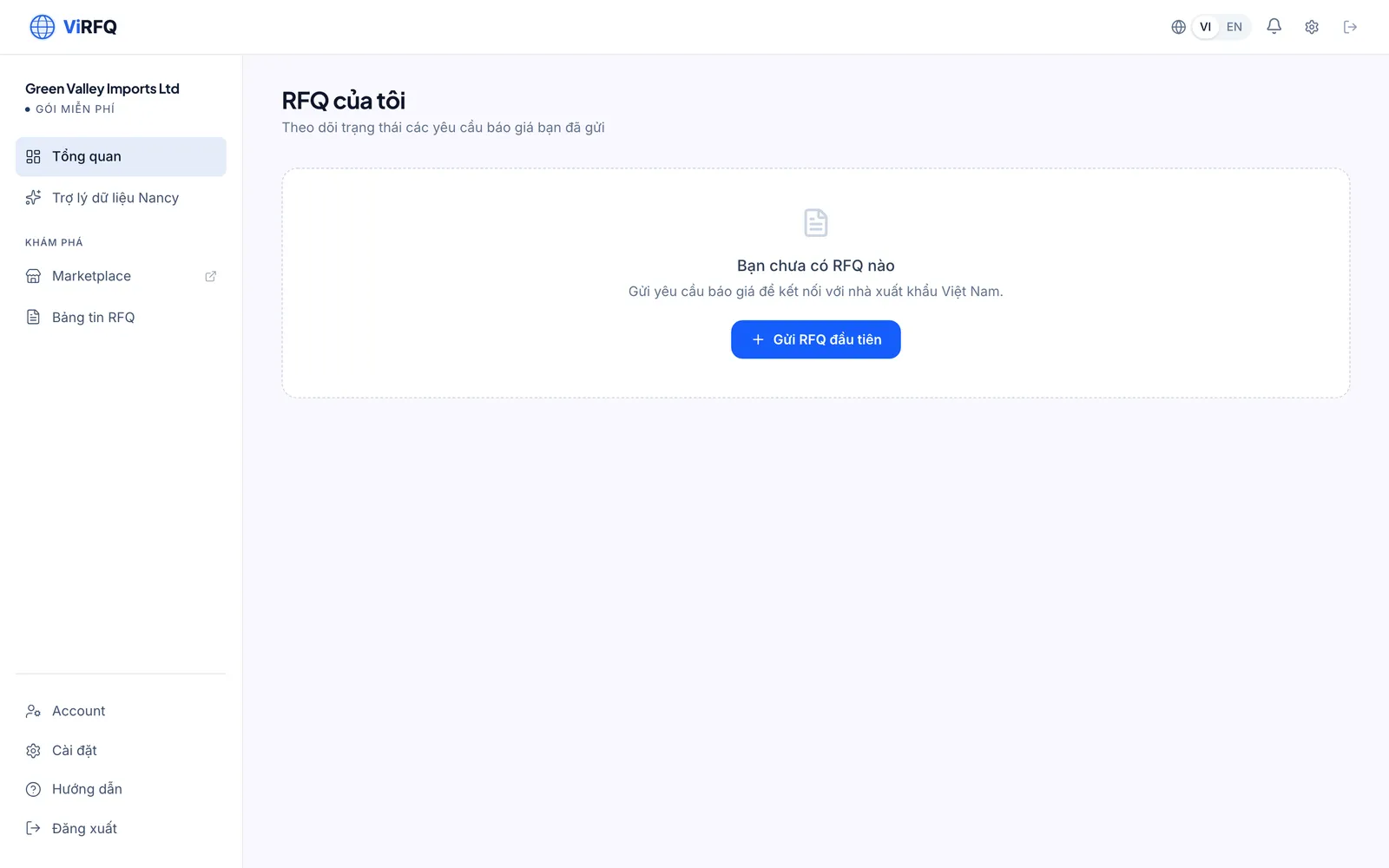
The buyer dashboard.
Getting support
Bước 1: Send any question through the Contact page (virfq.com/en/contact) or call the hotline in the footer. Platform customers can book a 15-minute consultation with the ViRFQ team right from the pricing page.
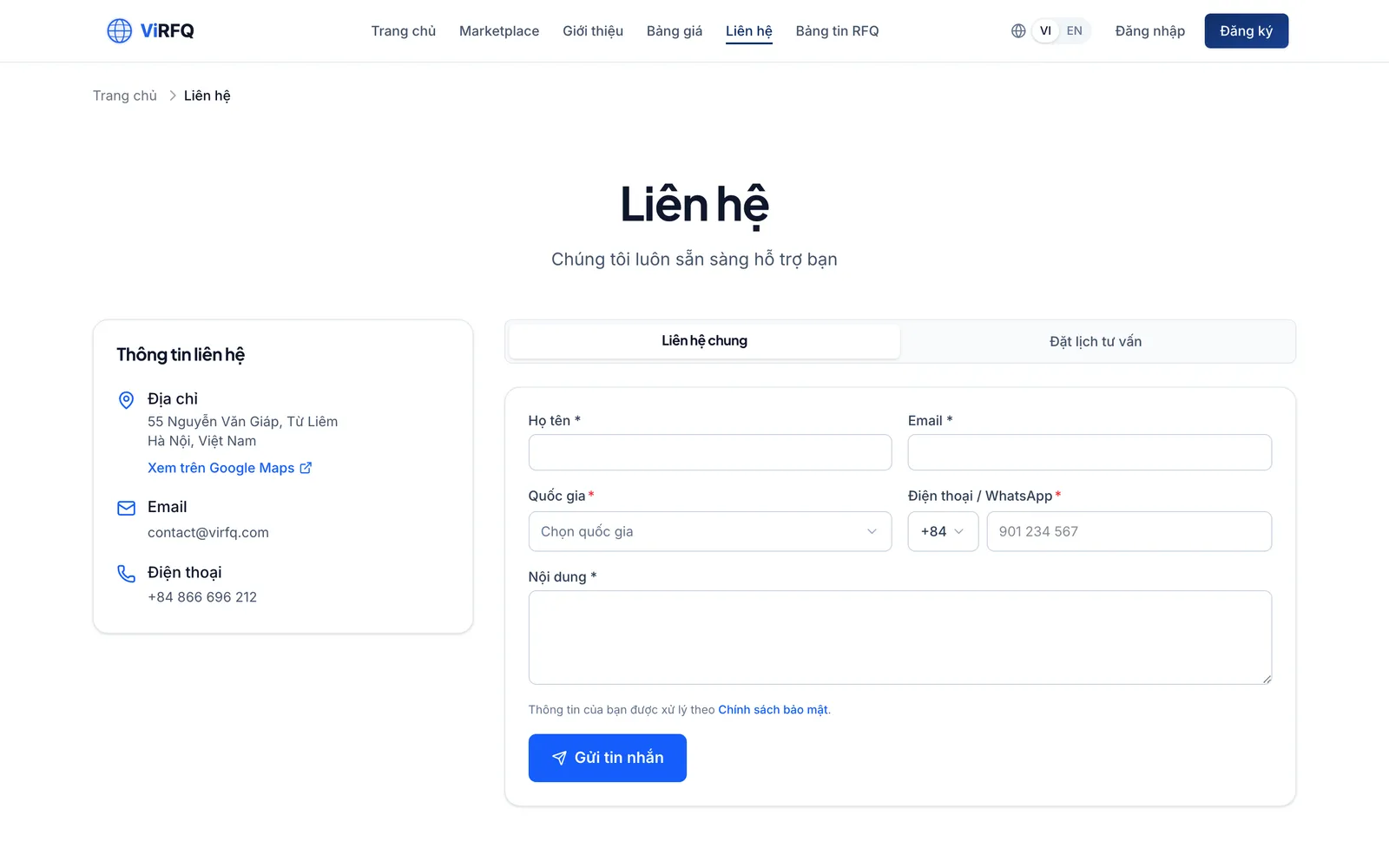
The Contact page.
General questions about ViRFQ
Frequently asked questions
- Does ViRFQ charge a commission on orders?
- No. ViRFQ only sells the Platform plan by term; the transaction between buyer and exporter is direct, and ViRFQ stands outside the contract and the money flow.
- Does ViRFQ guarantee transactions or inspect goods?
- No. ViRFQ verifies buyers and exporters at the level of documents and responses; inspection, payment and insurance are agreed between the two parties. Use an L/C or T/T with a deposit for a new partner.
- Is my data sold to third parties?
- No. Contact details are shown only to partners you deliberately contact or unlock. See the Privacy Policy in the footer.
- I want to delete my account.
- Send the request through the Contact page from the registered email. The account and its data are deleted according to the Privacy Policy; an active plan is not refunded for the unused part.
- Is there a Vietnamese version?
- Yes. Click VI at the top right. Exporters usually use the Vietnamese version; buyers use the English one, and exporter content is translated automatically for buyers.